Server Information Plugin
Server Information Plugin
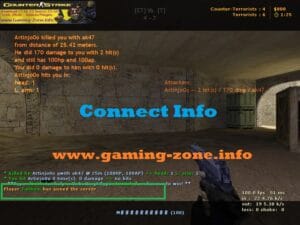
Information plugin with information ensures that the information I give about the players entering the game appears on the screen.
.
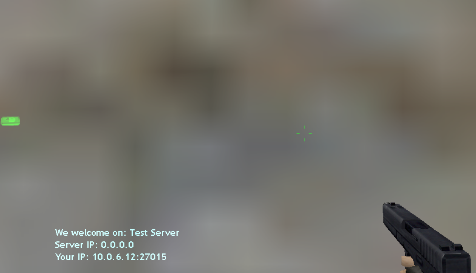
.
Installation;
- 1. File “information.sma” in the / cstrike / addons / amxmodx / scripting folder.
- 2. File “information.amxx” into the / cstrike / addons / amxmodx / plugins folder.
- 3. Add “information.amxx” in the bottom line of the /cstrike/addons/amxmodx/configs/plugins.ini file.
- 4. Finally, reset the server, or change the map.!
.

.
Related Posts:Head Shot Blood Effect CS 1.6PUBLIC PLUGINSxREDIRECT - server redirect menuPUBLIC PLUGINSWeapon Selling PluginPUBLIC PLUGINSAmx Rocket PluginPUBLIC PLUGINSHud Manager CS 1.6PUBLIC PLUGINSAdmin Mark (Special hat for admins) pluginPUBLIC PLUGINSAdmin ListenPUBLIC PLUGINSConnect Player InfoPUBLIC PLUGINSPlugin StatsX GUI 1.8 (player statistics) cs 1.6 - ENGLISHPUBLIC PLUGINS
Head Shot Blood Effect CS 1.6
PUBLIC PLUGINS
xREDIRECT - server redirect menu
PUBLIC PLUGINS
Weapon Selling Plugin
PUBLIC PLUGINS
Amx Rocket Plugin
PUBLIC PLUGINS
Hud Manager CS 1.6
PUBLIC PLUGINS
Admin Mark (Special hat for admins) plugin
PUBLIC PLUGINS
Admin Listen
PUBLIC PLUGINS
Connect Player Info
PUBLIC PLUGINS
Plugin StatsX GUI 1.8 (player statistics) cs 1.6 - ENGLISH
PUBLIC PLUGINS
About The Author