Amxx Spectator Bot
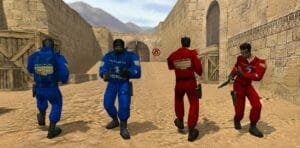
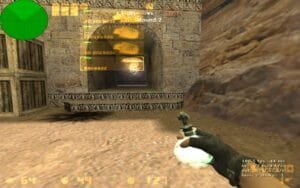
The website bot allows your website name to appear in space as a bot. It’s an advertising bot, it doesn’t function in the game. It is halfway to advertising the website by staying in the space constantly. I put the sample picture. Put this command in the amxx.cfg file, bw_botname www.gaming-zone.info

Cvar Commands;
- bw_botname Gaming-Zone.Info
- bw_kickbot 30 (This command does not occupy space when the server is full and automatically disappears. Its default setting. When the server is 30 people, the server bot quits the game.)
- bw_enable 1 (Open) 0 (Close) (Plugini on / off command)
.

.
Setup;
- 1. “WebSiteBot.sma” file to / cstrike / addons / amxmodx / scripting folder.
- 2. “WebSiteBot.amxx” file to / cstrike / addons / amxmodx / plugins folder.
- 3. Add “WebSiteBot.amxx” to the bottom line of the /cstrike/addons/amxmodx/configs/plugins.ini file.
- 4. Finally restart the server, or change map.!
Related Posts:AntiVPN Plugin for AMX Mod X | VPN & Proxy ProtectionBest Amxx PluginsAMXX HUD TEAM SCORE & Round V3Best Amxx PluginsAMXX Green Fade on KillPUBLIC PLUGINSMolotov/Incendiary Grenade Plugin for CS 1.6Best Amxx PluginsAMXX Frag CounterTOP PLUGINSAmxx Unbanmenu For AdminsBest Amxx PluginsAMXX Tutor Advertisments V2Best Amxx PluginsSimple resetscoreTOP PLUGINSShort Pallet for Dust2TOP PLUGINS
AntiVPN Plugin for AMX Mod X | VPN & Proxy Protection
Best Amxx Plugins
AMXX HUD TEAM SCORE & Round V3
Best Amxx Plugins
AMXX Green Fade on Kill
PUBLIC PLUGINS
Molotov/Incendiary Grenade Plugin for CS 1.6
Best Amxx Plugins
AMXX Frag Counter
TOP PLUGINS
Amxx Unbanmenu For Admins
Best Amxx Plugins
AMXX Tutor Advertisments V2
Best Amxx Plugins
Simple resetscore
TOP PLUGINS
Short Pallet for Dust2
TOP PLUGINS
About The Author