How to make Spray logo with HL TagConverter
How to make Spray logo with HL TagConverter
.
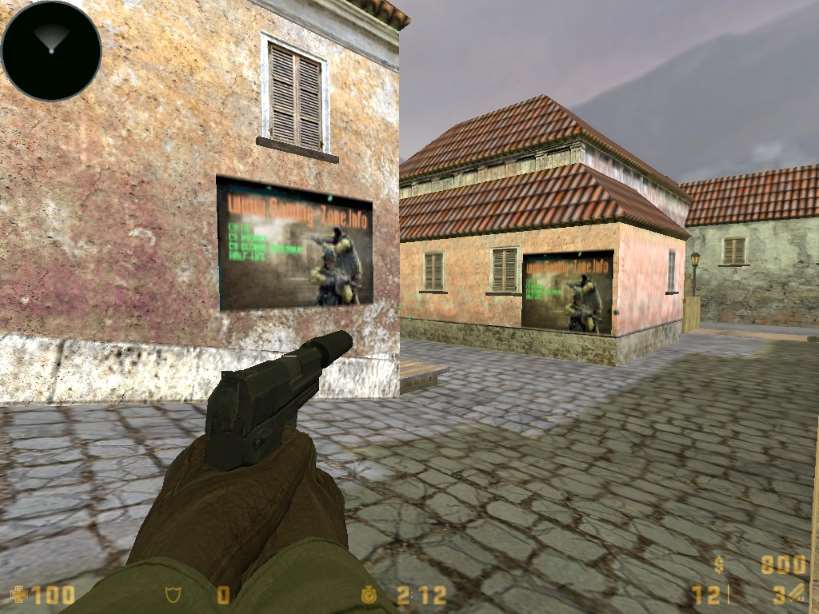
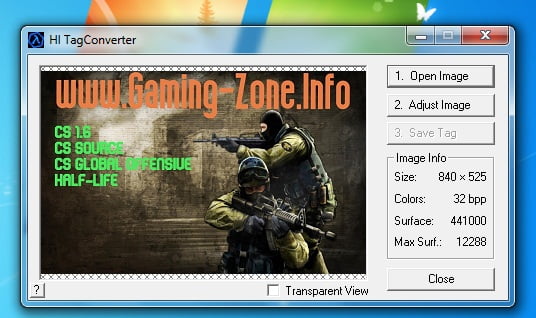
This is an easy program to use. all you have to do is open the image you like to spray in CS(Open Image). “adjust Image” and press “Convert into 256 colors” and then press Save and save it as a tempdecal.wad and move to cstrike.
.

.
Related Posts:Wally
Counter-Strike 1.6 ToolsCS GUI Maker V3
Counter-Strike 1.6 ToolsCommandmenu Editor
Counter-Strike 1.6 ToolsValve Map-Hammer Editor 3.4
Counter-Strike 1.6 ToolsHLTV Weapon Models for CS 1.6
Counter-Strike 1.6 ToolsEasy Sprite Maker
Counter-Strike 1.6 ToolsHLSW Server Administration and browsing tool
Counter-Strike 1.6 ToolsJed’s Model Viewer
Counter-Strike 1.6 ToolsCounter-Strike HS ScreenShoter
Counter-Strike 1.6 ToolsCS 1.6 Background Maker v3.0
Counter-Strike 1.6 Tools
Wally
Counter-Strike 1.6 Tools
CS GUI Maker V3
Counter-Strike 1.6 Tools
Commandmenu Editor
Counter-Strike 1.6 Tools
Valve Map-Hammer Editor 3.4
Counter-Strike 1.6 Tools
HLTV Weapon Models for CS 1.6
Counter-Strike 1.6 Tools
Easy Sprite Maker
Counter-Strike 1.6 Tools
HLSW Server Administration and browsing tool
Counter-Strike 1.6 Tools
Jed’s Model Viewer
Counter-Strike 1.6 Tools
Counter-Strike HS ScreenShoter
Counter-Strike 1.6 Tools
CS 1.6 Background Maker v3.0
Counter-Strike 1.6 Tools