Spec Banner Plugin CS 1.6
Spec Banner Plugin CS 1.6
–
–
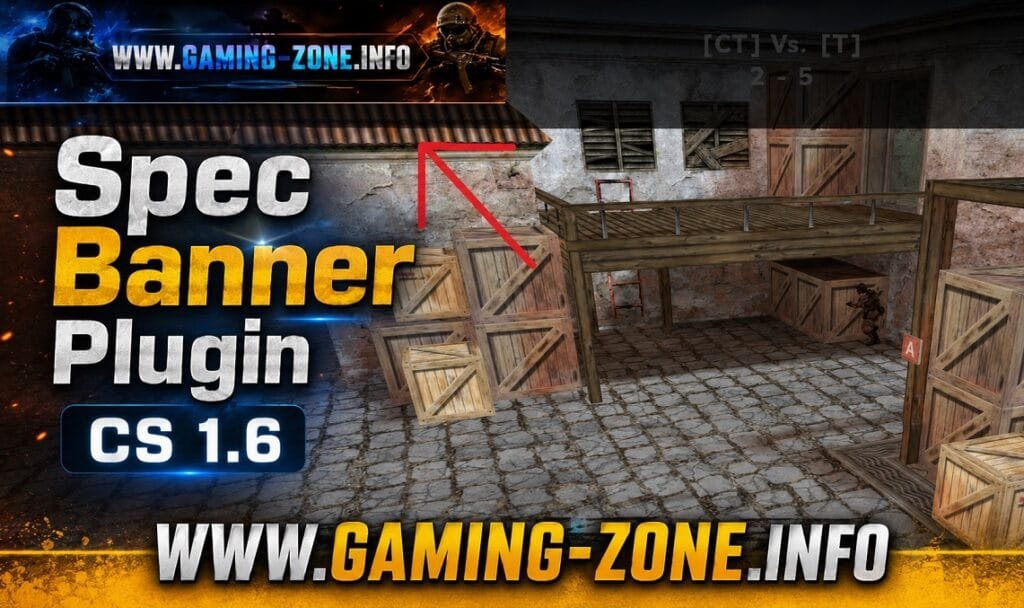
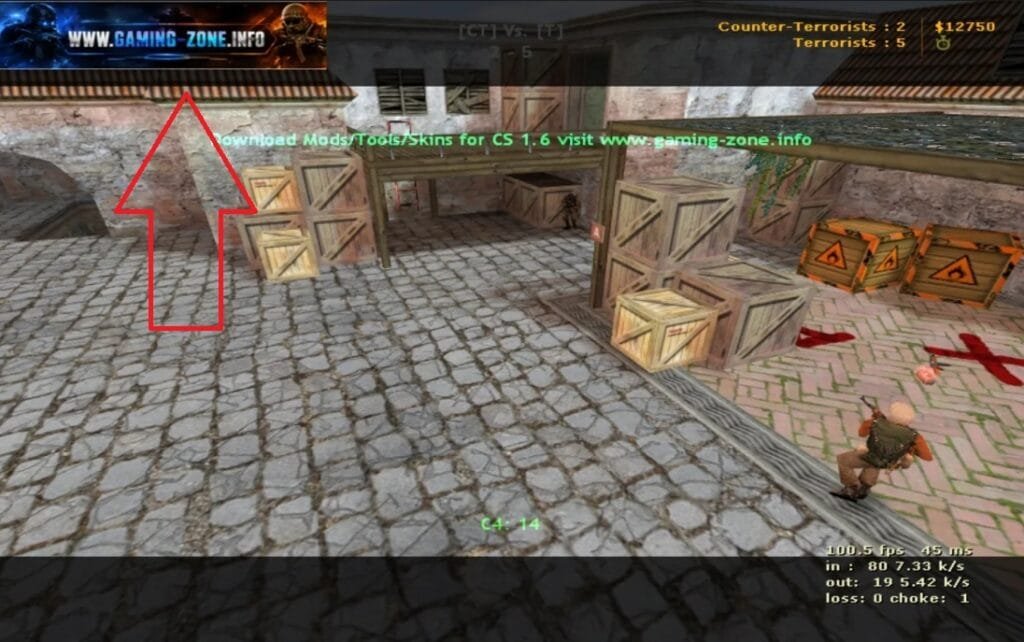
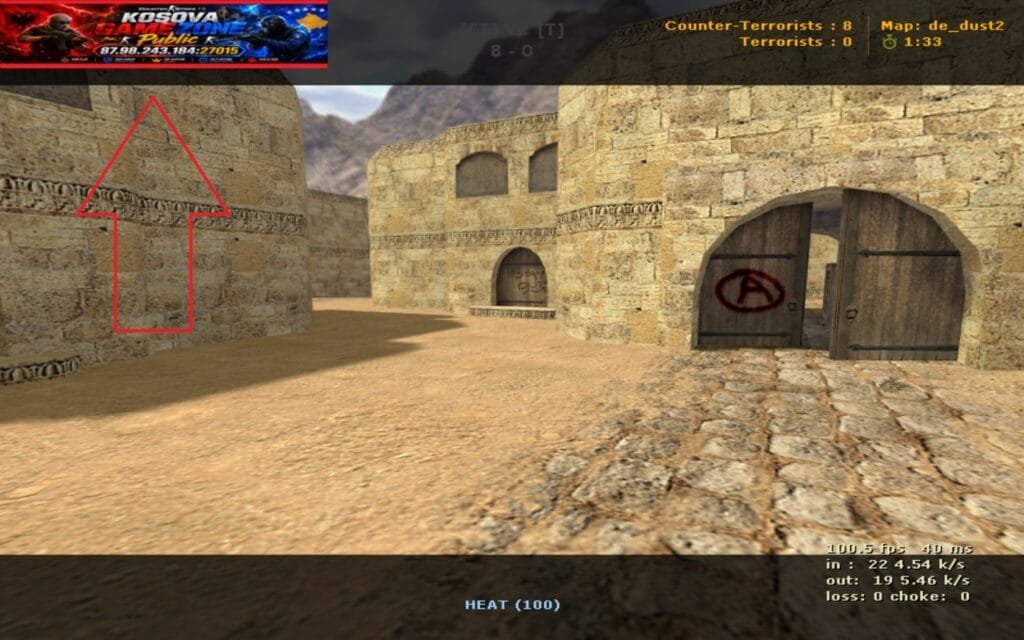
With this plugin the players can see banner ingame now when you are death or become spectator.
Install : Make a banner for your server , or use www.chatgpt.com
example :

The first you must Rotation Flip Vertical , the banner to show correctly to your server.
Step 1 : Open link https://www.img2go.com/rotate-image
Upload your banner
–
Step 2 : Press to Flip Vertical
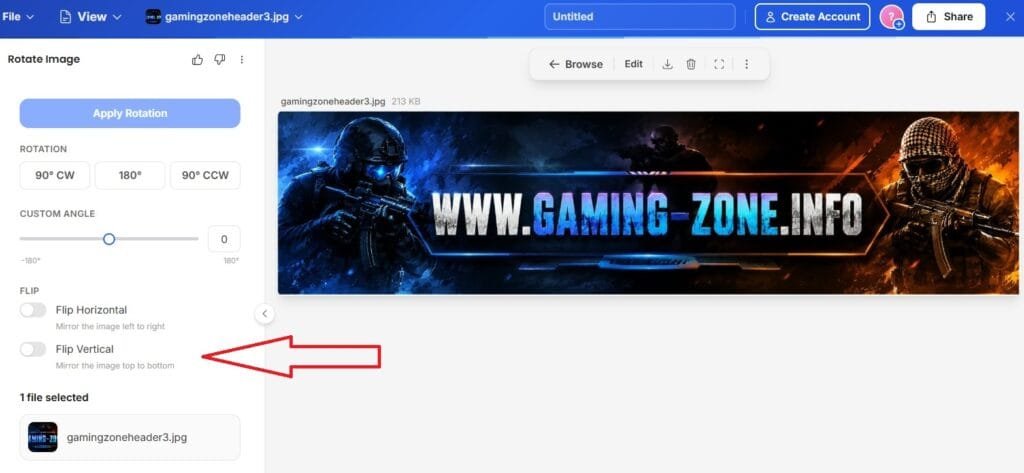
–
Step 3 : Apply Rotation
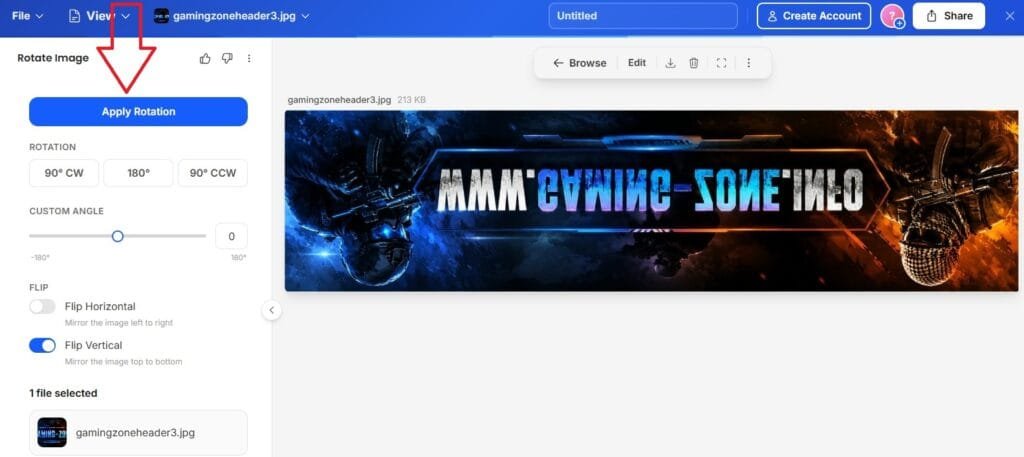
–
Step 4 : Download Image and save
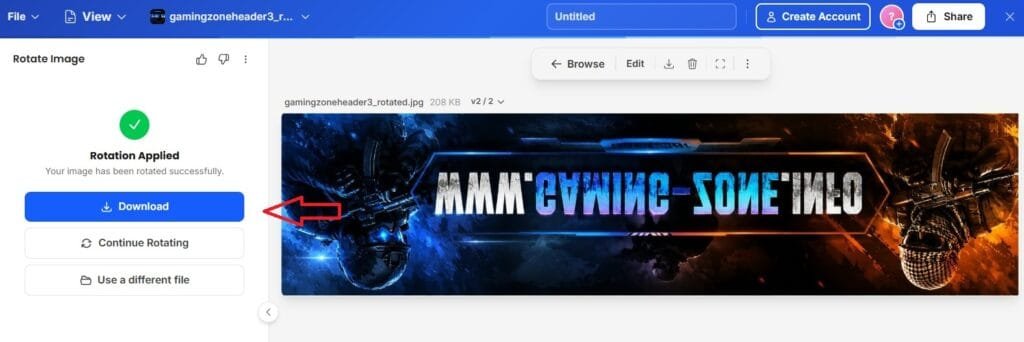
–
Step 5 : You must convert image to .tga file , this need the Spec Banner Plugin to show banner on server
Open Link : https://image.online-convert.com/convert/png-to-tga
Step 6 : Chose File (Upload) the image this you have Rotation before , after upload change size to 264×64 and press apply to Enhance and Antialias , after press Start to convert your image to .tga file
–
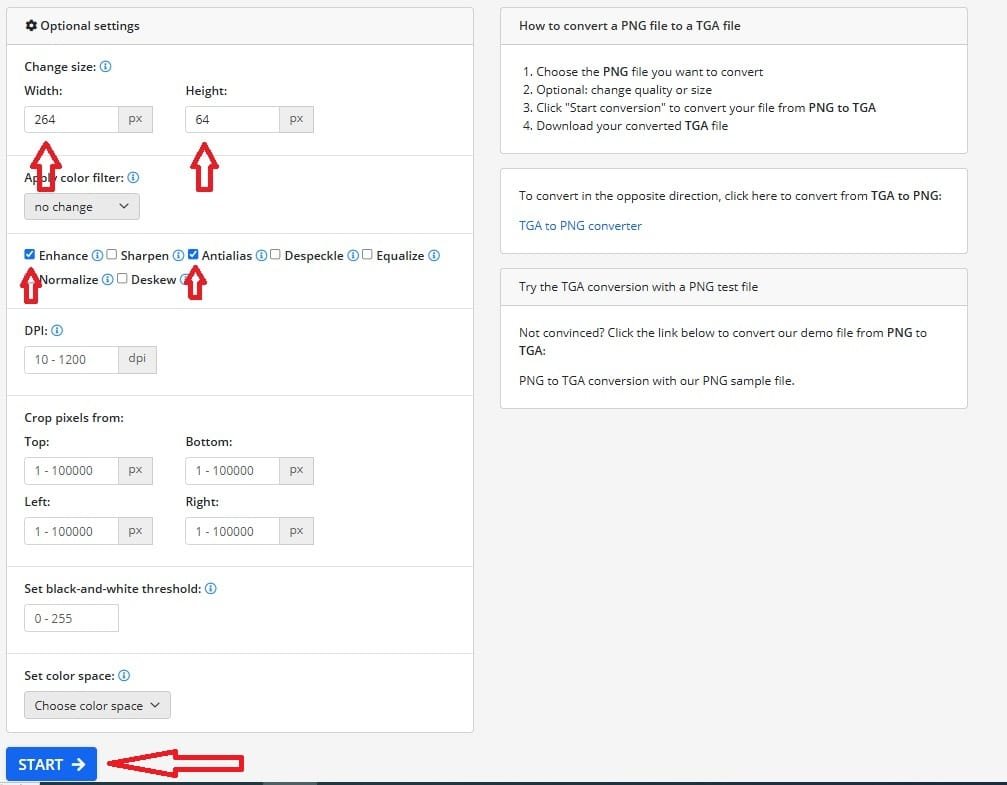
–
Step 7 : After convert Download .tga file and rename to your self , example gamingzoneheader3.tga
.tga file extract to cstrike/gfx
–
Step 8 : Get spec-banner.sma Plugin

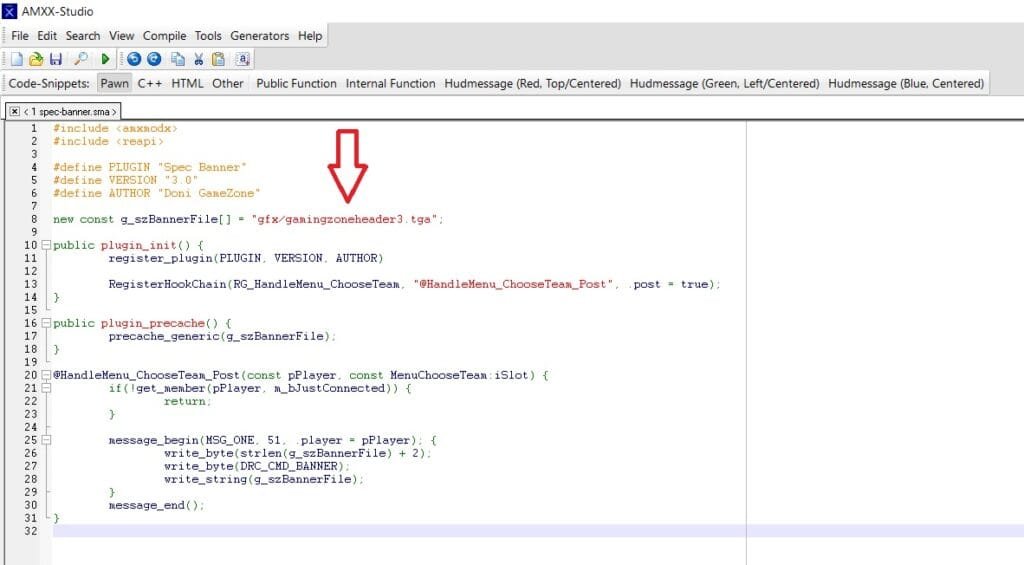
Step 9 : Edit in sma the .tga file name and save , after compile and put to plugins.
–
–
Scren Spec Banner Plugin
–
Spec Banner Plugin CS 1.6
Related Posts:Amxx 16vs16 on MapTOP PLUGINSAdmin Spectator ESP plugin (version 1.3) for cs 1.6Best Amxx PluginsBan Name Amxx pluginTOP PLUGINSSimple Lastround FixTOP PLUGINSAmxx C4 Hud Timer v2Best Amxx PluginsAMXX Simple Swear FilterTOP PLUGINSCustum Hud MessageTOP PLUGINSTop10 Knife Kills Show Best Player with KnifeBest Amxx PluginsHUD C4 Timer AMXX PluginTOP PLUGINS
About The Author